NAP SEO focuses on keeping a business's name, address, and telephone number consistent across its website, Google Business Profile, maps, local citations, and major directories. The purpose of this strategy is to ensure that customers and search engines see consistent business data. So, it's important to know what NAP is in local SEO and how to use it to improve local search visibility.
What is NAP in SEO?
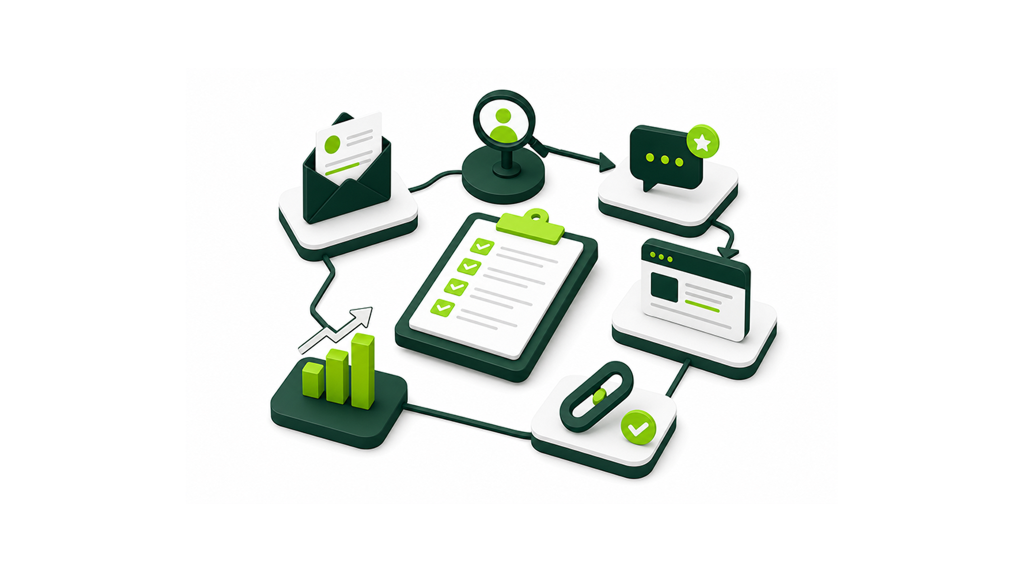
NAP in SEO is an abbreviation for Name, Address, and Phone Number. These are the three core details used to identify a local business online. A business’s NAP can appear in many places:
Website footer;
Contact page;
Location pages;
Google Business Profile;
Google Maps;
Apple Maps and Bing Places;
Review platforms;
Local directories;
Social media profiles;
Industry-specific listings;
Data aggregator feeds;
Old campaign pages, PDFs, and microsites.
That is why NAP is important for SEO. Other business information, such as the website URL, operating hours, business categories, offered services, appointment booking link, and service area, also matters. However, none of these are part of the NAP acronym.
Here is an example of the simplest master NAP:
Business Name: Green Valley Dental Care
Address: 418 Oak Street, Suite 205, Denver, CO 80203
Phone: +1 303-555-0187
This information should serve as the master record. It became the standard for the website, Google My Business, schema markup, citations, etc.
NAP Consistency Does Not Mean Perfect Punctuation
NAP consistency should focus on factual accuracy first. “Street” vs. “St.” is usually less serious than an old address, a wrong number, or a keyword-stuffed business name.
Search engines and customers need to identify the same real business. A formatting difference is not the same as conflicting data.
Myth: Every small punctuation difference hurts rankings.
Fact: The real issue is wrong or conflicting business information.
Google’s Business Profile rules also warn against adding unnecessary details to the business name. Address, service area, hours, and category should go in the correct profile fields.
Why NAP SEO and NAP Consistency Matter
NAP consistency matters because customers and search platforms need accurate business details. The same data should help people identify, locate, and contact the right company.
For consumers, poor-quality NAP data brings immediate friction. An incorrect phone number means lost calls. An outdated address means people will be sent to the wrong location. Duplicate listings mean review splitting, direction confusion, and poor management.
For search platforms, consistent data helps connect the website, Google Business Profile, maps, citations, and directory listings to the same business.
That does not mean NAP is a magic ranking switch. Correcting one obscure citation will not always move a business into the local pack / Map Pack. Still, inaccurate business information can undermine the foundation of a local SEO strategy.
Is NAP a Local SEO Ranking Factor?
“NAP consistency” is not listed as a ranking factor by Google. Treat it as a data-quality issue, not as a standalone ranking tactic.
Google uses three factors in local search: relevance, proximity, and prominence. Google recommends complete and correct business information, since it helps Google understand a business and feature it accordingly.
That distinction matters. NAP consistency for local SEO should not be sold as a guaranteed Map Pack lever. It supports local SEO, but it does not replace well-optimized location pages, reviews, links, categories, and Google Business Profile optimization.
Where Your Business NAP Should Be Consistent
Start with sources the business controls. Then check the platforms customers actually use. Not every old directory deserves the same effort. Use the table below to prioritize the places where your business information should be checked first:
Priority Area
What to Check
Why It Matters
Google Business Profile and Google Maps
Business name, address or service area, phone, hours, URL, duplicates
Old microsites, landing pages, PDFs, campaign pages, former franchise pages
These often preserve stale names, numbers, or addresses.
The goal is to eliminate important inconsistencies that can affect visibility, trust, and customer experience.
Create a Single Source of Truth for NAP Data
Before editing external listings, create one approved master record for every active location. This is where many local SEO projects fail. A business starts correcting directories before confirming the approved name, address, phone number, URL, and service area. Otherwise, old data can reappear through internal systems, spreadsheets, ad accounts, or aggregator feeds.
Your single source of truth should include:
Public-facing business name;
Legal name, if different;
DBA or franchise naming rule;
Full public address;
Suite or unit number;
Service area, if applicable;
Primary phone number;
Website or location-page URL;
Business hours;
Primary category;
Secondary categories;
Tracking number rules;
Conversion tracking;
Location owner or manager;
Last-updated date;
Person responsible for changes.
A master record does not need to be complex. It just needs to be clear, approved, and used by the whole team.
Standardize the Business Name
Use the actual name under which the business operates. Do not include city names, services, mottos, or other promotional phrases in the name unless it is part of the actual business name.
“Green Valley Dental Care” is clean. “Green Valley Dental Care Best Emergency Dentist Denver” is keyword stuffing unless that is the real registered and displayed name.
Check document-approved abbreviations, DBA names, franchise rules, and practitioner naming rules before updating listings.
Define the Correct Address or Service Area
Confirm whether the business serves customers at its location or travels to customers. A clinic, law firm, restaurant, or retail shop usually needs a public address. A plumber, cleaner, locksmith, mobile mechanic, or delivery-only business may operate as a service-area business.
Google advises service area business providers to keep their address hidden from customers if they do not offer services at that particular location. Never use a false or borrowed address.
Choose the Primary Phone Number
Choose a stable number for the business or location. The number should route correctly, stay under business control, and remain active long enough to support customer trust.
Google allows a primary business phone number and up to two extra phone numbers. If call tracking is used, document:
Which number is canonical;
Where tracking appears;
Who owns each number;
How calls are routed;
When campaign numbers expire;
Which profiles should never receive temporary numbers.
Poor call tracking can create NAP chaos when temporary numbers replace the primary number across citations. For example, a campaign may use a temporary number for three months, but that number should not become the phone number published on directory profiles. When the campaign ends, customers should still be able to reach the business through its primary number.
How to Run a NAP SEO Audit
A local NAP SEO audit should be practical, traceable, and prioritized. No manual audit will find every mention of a business online. The goal is to find the most visible and damaging conflicts first. Use a spreadsheet or listing-management system with columns for:
Platform
URL
Current name
Current address
Current phone
Conflict found
Priority
Required evidence
Owner
Submission date
Status
Recheck date
This structure makes it easier to track each issue, assign it to the right person, and verify that it has been resolved.
Step 1: Build the Master NAP Record
Before the audit starts, confirm the approved data for each active location and record legacy names, phone numbers, addresses, previous suite numbers, and closed locations separately. This makes outdated records easier to identify during the audit.
Do not mass-update listings until disputed details are resolved.
Step 2: Audit the Website and Google Business Profile
Check the website first because it is one of the business's primary owned assets. Review the following:
Header and footer;
Contact page;
Location pages;
Click-to-call links;
Embedded maps;
LocalBusiness schema;
Appointment pages;
Downloadable PDFs;
Old landing pages;
Tracking scripts and dynamic number insertion.
Then compare those details with each Google Business Profile. Check the profile name, address or service area, phone number, website URL, hours, categories, and duplicates.
Fix owned properties first. They are usually easier to control and more authoritative.
Step 3: Check Major Listings and Branded Search Results
Search for the business name alongside its phone number, address, old name, and former location. Use quoted searches for phone numbers and address fragments.
Look for conflicts on:
Google Maps;
Apple Maps;
Bing Places;
Yelp;
Facebook;
Better Business Bureau;
TripAdvisor, where relevant;
Legal, healthcare, home service, real estate, or hospitality directories;
Local chamber or association sites.
Prioritize listings with reviews, traffic, strong visibility, or real customer use.
Step 4: Find Duplicates, Old Locations, and Conflicting Numbers
Duplicate listings are often more serious than small NAP SEO formatting differences. Look for:
Two profiles for the same location;
Practitioner profiles competing with the main business;
Franchise and branch data mixed together;
Old offices still shown as active;
Closed locations still receiving calls;
Listings with tracking numbers from expired campaigns;
Scraped profiles based on outdated data.
Google says there should be only one Business Profile for each business. Multiple profiles for the same business can mislead customers and violate policies.
Step 5: Prioritize Corrections and Track Ownership
Not every issue has the same urgency.
Use this priority model:
Critical: wrong phone, wrong address, fake or duplicate Google Business Profile, closed location shown as open.
Low: cosmetic address formatting differences where the real name, location, and phone are correct.
Assign an owner. Submit the corrections and keep records. Set a recheck date. Some platforms update quickly. Others require verification, documents, or repeated follow-up.
NAP Checker Tools: What Automated Scans Find and Miss
A NAP checker can compare major listings and reveal common mismatches. These tools are useful for spotting wrong phone numbers, duplicate citations, missing profiles, and clear inconsistencies.
But a NAP SEO score is not a full local diagnosis. Coverage varies by country, industry, directory, and data source. Some tools miss niche business directories, practitioner profiles, old campaign pages, login-only listings, or unindexed files. Automated scans can also misread legitimate call tracking setups or service-area rules.
Use NAP checker tools when you need to review many listings at once. Then combine them with:
Manual branded searches;
Direct profile checks;
Google Business Profile review;
Website crawl checks;
Duplicate-listing checks;
Location-page and schema review.
The best local SEO audit is not only automated. It needs human judgment too.
How to Fix Common NAP Consistency Problems
Most NAP problems fall into predictable categories. The right fix depends on the business change, the platform, and the proof required. Use this table to identify common NAP problems and choose the appropriate fix:
Problem
Best Action
Evidence Usually Needed
Priority
Business relocation
Update the existing profile and major citations. Do not create a new profile unless required.
Lease, signage, utility bill, official site update
Critical
Phone number changed
Update owned assets, GBP, major directories, and tracking records.
Proof of phone ownership and call routing
Critical
Rebrand or DBA change
Document old and new names, update official assets, then update citations.
DBA record, signage, website, legal documentation
High
Duplicate GBP
Request access, remove the mistaken duplicate, or request a merge where appropriate.
Profile URLs, ownership proof, signage
Critical
Closed location still active
Mark it correctly as closed and update website/location pages.
Closure notice, business records
Critical
Suite formatting differences
Standardize where possible, but deprioritize if the address is correct.
Mail format, lease, postal formatting
Low
Wrong website URL
Point listings to the correct homepage or location page.
Approved URL, live page
High
Tracking number replaced primary number
Restore the canonical number where needed and document the tracking setup.
Tracking provider records, routing proof
High
Service-area business shows private address
Hide the address and define the correct service area.
Evidence that the business operates in the stated service area
Critical
Franchise or practitioner listing conflict
Separate legitimate entities, then merge or correct duplicates.
Signage, practitioner eligibility, brand rules
High
The highest-value fixes prevent lost calls, wrong driving directions, duplicate profiles, and customer confusion.
NAP SEO for Multi-Location Businesses
Multi-location SEO requires clear processes and ownership. Without it, the same errors can return whenever a branch opens, closes, moves, changes management, or updates its phone routing. Each real location should have:
One approved master NAP record;
One Google Business Profile;
One useful location page;
One documented primary phone setup;
One responsible owner;
One recheck process.
The location page, Google Business Profile URL, on-page NAP for SEO, LocalBusiness schema, and major citations should align.
Avoid letting headquarters data overwrite branch details. This happens when a central marketing team pushes one phone number, one address, or one generic URL across every listing.
For larger teams, outsourcing SEO execution can help when the work involves dozens or hundreds of location records. The difficult part is keeping hundreds of records synchronized when locations open, close, move, change numbers, or inherit data from central systems. It only works well if the agency uses an approved source of truth.
For competitive local markets, broader local SEO services should also cover location pages, reviews, internal links, local backlinks, and Google Business Profile optimization.
Call Tracking Numbers Without NAP Chaos
A call tracking number is useful for attribution, but it needs control. A stable primary number helps customers and platforms identify the location. Tracking numbers help marketers measure campaigns. Both goals can be supported if the tracking setup is documented and managed consistently.
Dynamic number insertion can show different numbers to users from different channels. At the same time, the canonical number can stay in page data and structured data. The setup should follow current platform rules and the tracking provider’s guidance.
Before using tracking numbers, confirm:
The number is owned or controlled by the business;
Calls route correctly;
Campaign numbers are removed when campaigns end;
The primary number remains documented;
Listings are not polluted with temporary numbers.
This keeps business information consistent while still allowing marketers to track campaign performance.
How LocalBusiness Schema Supports NAP SEO
LocalBusiness schema helps search engines interpret business information on a location page. It does not fix bad citations, merge duplicates, or replace Google Business Profile management.
Google’s LocalBusiness structured data documentation explains that local business markup can describe hours, departments, reviews, and other business details. For NAP SEO, the schema should match the approved master record and visible page content.
Use it to clarify:
Business name;
Address;
Telephone;
URL;
Opening hours;
Geo details;
Department or location information;
Specific LocalBusiness subtype, where relevant.
Use a separate location entity for each actual business location when appropriate. Do not mark up data that conflicts with the visible page. Do not expect schema to guarantee rankings or rich results. Google states that structured data features are not guaranteed to appear in search results.
How Often Should You Check NAP Consistency?
There is no fixed monthly rule for every business. A single-location business that has not changed its contact details may only need periodic checks. A franchise with dozens of locations should build NAP checks into every opening, closure, rebrand, and phone-number change.
Run a full NAP review after:
A move;
A rebrand;
A phone change;
A new branch opening;
A location closure;
A merger or acquisition;
A franchise transfer;
A website migration;
A call tracking change;
A major Google Business Profile issue.
For stable single-location businesses, a periodic review may be enough. Recheck high-priority corrections after the platform confirms the change or after its normal processing period.
Common NAP SEO Mistakes
NAP issues often come from rushed updates, old records, or unclear ownership. A simple mistake can spread across directories and stay live for months.
Avoid these common NAP SEO mistakes:
Keyword-stuffing the Google Business Profile name;
Fixating on punctuation while the phone number is wrong;
Updating directories before confirming the master record;
Using one generic record for multiple branches;
Forgetting old PDFs, microsites, social profiles, and campaign pages;
Creating duplicate profiles instead of updating the existing one;
Leaving disconnected tracking numbers live;
Adding LocalBusiness schema that conflicts with visible content;
Treating every low-value directory as equally important;
Ignoring practitioner, franchise, and department listing rules.
A lot of mistakes are preventable. Most NAP problems come down to three things: no approved record, no clear owner, or no follow-up after a change. A practical SEO checklist can help keep these details from being missed during wider optimization work.
NAP SEO Checklist
Use this checklist before, during, and after an SEO NAP consistency audit:
Master record approved for each active location;
Website and Google Business Profile match the approved data;
Major maps, directories, review sites, and vertical listings checked;
Duplicates, legacy records, and closed locations documented;
Critical wrong phone numbers and addresses fixed first;
Tracking numbers mapped and controlled;
Location pages aligned with approved NAP data;
LocalBusiness schema aligned with visible content;
Owners, evidence, status, and recheck dates recorded;
Audit repeated after every material business-data change.
When these steps are applied consistently, NAP data becomes easier to manage, maintain, and scale across multiple locations.
Need a Clear Local SEO Fix List?
Natural Links can audit your website, Google Business Profile setup, location pages, schema, and priority listings. The goal is to identify which listings need fixing, who should fix them, and what needs to be verified afterward.
If your business has moved, rebranded, opened new branches, or inherited old listings, start with a structured audit. Scattered fixes usually create more confusion.
Final Thoughts: Keep the Data Accurate Before You Scale It
So, what is NAP in SEO? Its objective is correct, controlled, and maintainable business information. Start with owned assets. Then fix Google Business Profile issues, high-visibility listings, duplicate profiles, and errors that can cost calls or send customers to the wrong place.
A documented source of truth prevents the same inconsistencies from returning. Once the data is stable, local SEO efforts become easier to scale across citations, location pages, schema, reviews, and wider visibility campaigns. For businesses that depend on local search, accurate NAP data is part of how customers find you, trust you, and choose you.
Frequently Asked Questions About NAP SEO
What does NAP stand for in SEO?
Name, Address, and Phone number are what NAP stands for in SEO. These are the three core business details used across websites, Google Business Profile, maps, directories, and citations. URL, hours, categories, and services are related data, but they are not part of the acronym. A correct NAP record helps customers and platforms identify the business clearly.
Is NAP consistency a local ranking factor?
Google does not publish NAP consistency for SEO as a separate local ranking factor. Google describes local results through relevance, distance, and prominence. Still, accurate business information helps search engines, and customers connect the business with the right location. Treat NAP as data quality, not a guaranteed ranking lever.
Does “Street” vs “St.” hurt local SEO?
Minor formatting variants such as “Street” vs. “St.” are usually low priority. Focus first on the correct business name, current address, reachable phone number, and duplicate resolution. A wrong phone number or old address can create real customer loss. Cosmetic differences can be cleaned later.
How do I check my NAP consistency?
Start by creating an approved master NAP record for each active location. Then compare your website, Google Business Profile, location pages, schema, and major listings against that record. Use a NAP checker for broad scans, but also run manual branded searches. Track conflicts, proof, owners, status, and recheck dates in one audit sheet.
Can I use a call tracking number in my Google Business Profile?
Call tracking can be used, but it needs a controlled setup. The number must route reliably, remain under the business's control, and be clearly managed alongside the primary business number. Keep a documented primary number. Also confirm current platform and provider rules before implementation. Temporary campaign numbers should not stay live across important listings.
What should a service-area business use as its address?
A legitimate service-area business can define service areas and hide its address when customers are not served there. This is common for plumbers, cleaners, mobile service providers, and similar businesses. The address should not be fake, borrowed, or virtual. The profile should reflect real operations.
Should every business location have its own phone number?
A unique local number can make location identification cleaner, especially for multi-location businesses. The best setup still depends on routing, staffing, and real operations. Each listing must stay accurate, reachable, and tied to the correct location. A central number can work if it routes customers properly.
Does LocalBusiness schema fix inconsistent NAP listings?
No. LocalBusiness schema clarifies business information on a website page. It does not update Google Business Profile or third-party directories. External citations must still be corrected at the source. Schema should match visible page content and the approved master record. It supports interpretation, but it does not replace citation cleanup.